
Enrolling Linux Devices
Official guide for onboarding Ubuntu devices into the Norvato Intune Tenant.
playlist_add_check License & System Requirements
To onboard into the Norvato Intune Tenant, ensure you meet the following requirements:
- License: Your Norvato account must be granted an Intune license for Linux. By default you should have one.
- OS: Ubuntu Desktop 24.04 or 22.04 LTS.
- Desktop: GNOME Desktop UI is mandatory.
lock Full Disk Encryption
Critical: Disk Encryption
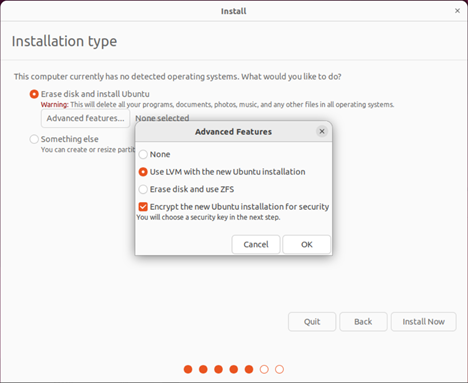
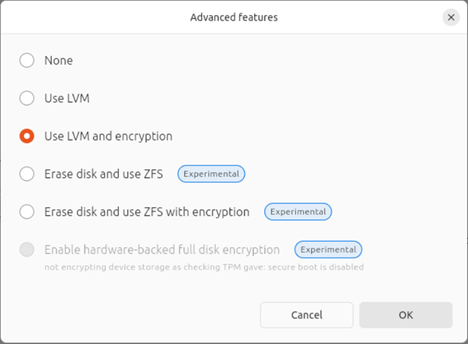
Disk encryption should've been enabled beforehand during the Ubuntu install, by picking LUKS over LVM. If skipped, there are ways of encrypting the disk drive post-install, but we discourage it as the device MOST LIKELY will still struggle to be compliant. If you are unsure, BACKUP YOUR DATA and REINSTALL UBUNTU. Note: Users are solely responsible for their encryption keys; Intune For Linux does not store any recovery keys.
LUKS Encryption over LVM enablement in Ubuntu Setup takes place here:
Or here:
apps Software Prerequisites
- Microsoft Intune Portal: Registers and enrolls the device.
- Microsoft Edge: Version 102.x or newer for accessing resources.
terminal Automated Procedure
The Norvato IT Projects & Corporate Workspace team has developed a Bash script that performs the heavy lifting for you.
Phase 1: Script Download & Execution
Download the script to your Downloads folder, set execution permissions, and launch it:
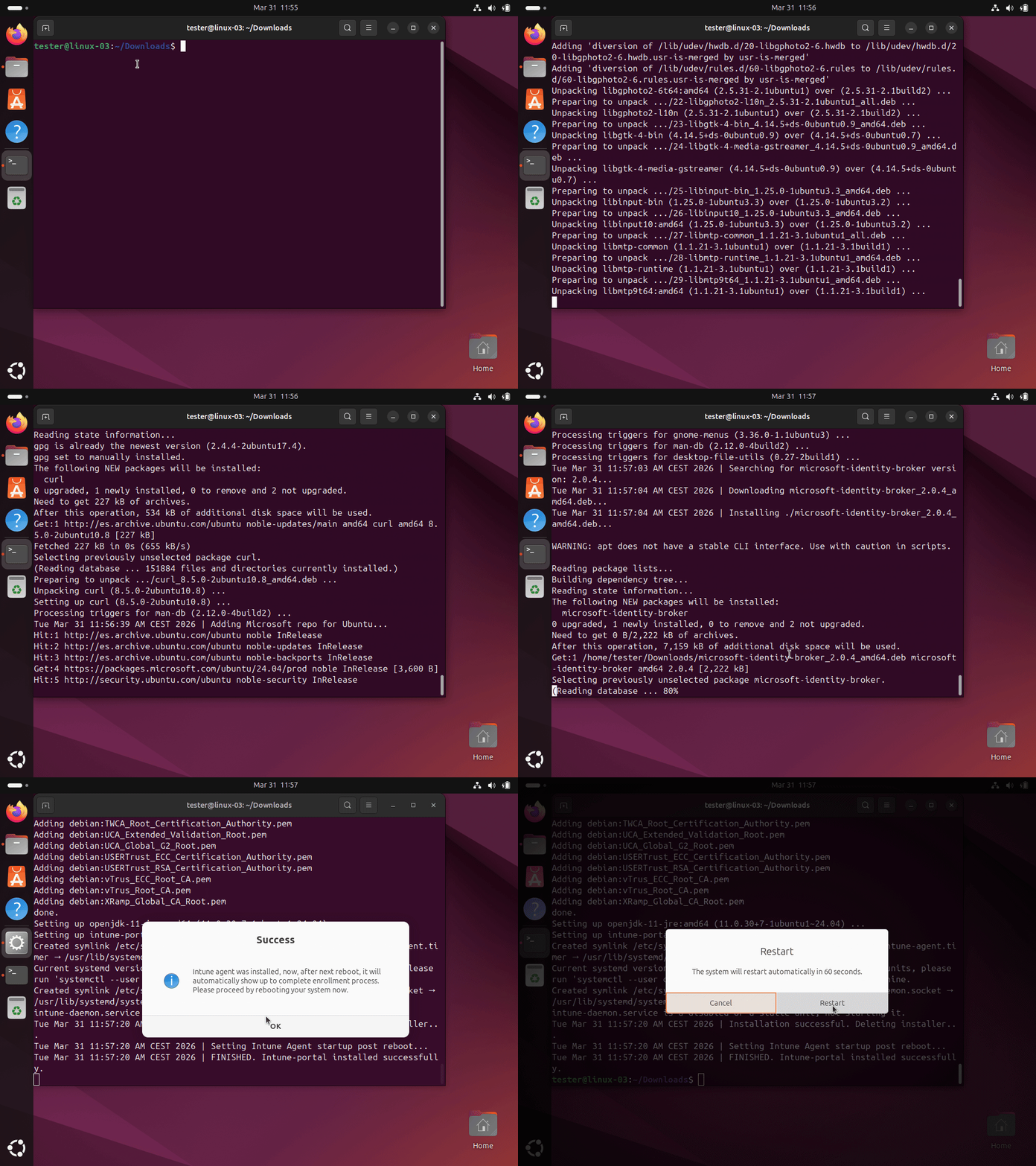
Note: Please Login with your Visma / BU account to download the file.
download Download the ScriptNow, run this:
cd Downloads && chmod +x Linux-Intune-Prerequisitesv2.3.sh && sudo ./Linux-Intune-Prerequisitesv2.3.shPhase 2: Final Enrollment
After rebooting, the Intune Agent will launch on startup. Sign in with your Norvato credentials and follow the wizard to complete.
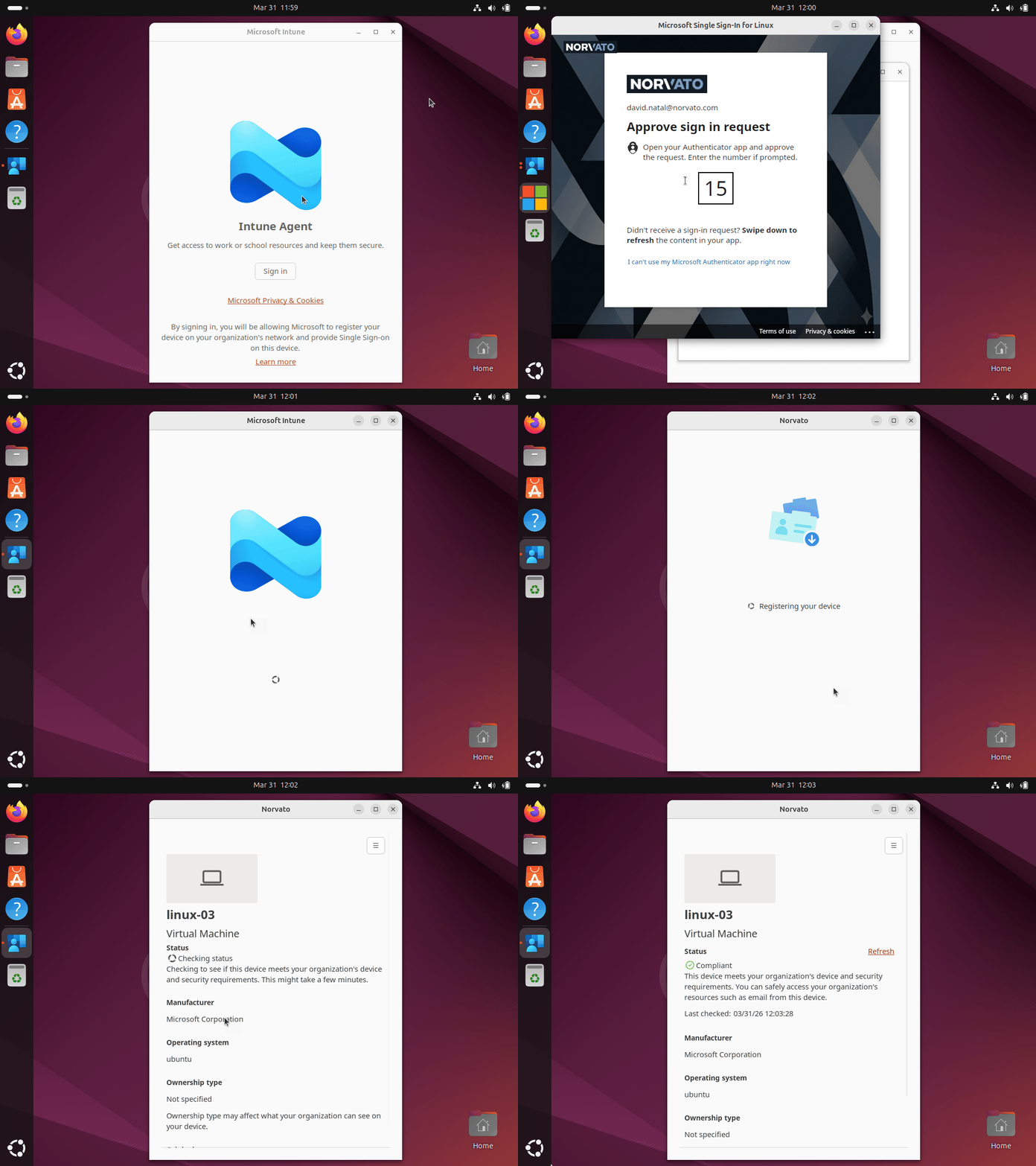
Please bear in mind Intune Agent for Linux app might seem a bit laggy sometimes,
looking like its hung though it may be not, lots of actions are performed on
background.
Right after onboarding a first compliance check kicks in. This first one is
crucial, let it be, might take a few minutes extra.
menu_book Manual Procedure
If you feel tech savvy enough and prefer to perform the onboarding in Norvato Intune tenant manually from terminal, we encourage you to have a read to Microsoft's official documentation.
open_in_new Official Microsoft Documentationmove_up Migrating from Visma
If you are migrating an already intuned Ubuntu device from Visma to Norvato tenant, our script automatically detects and offers you to delete previous Visma registration.
Once deleted, proceed with the Phase 2 enrollment steps.
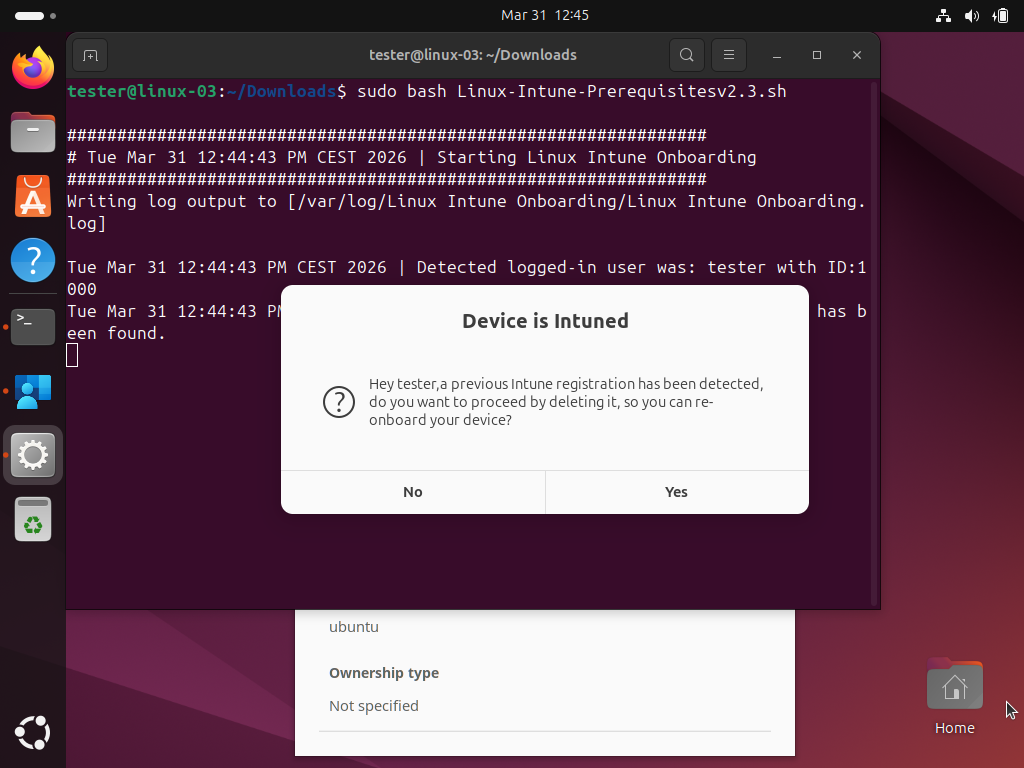
Local data is unaltered, everything should remain as where it is, however, as always, we recommend to first backup your data.
key Extras: TPM 2.0 Auto-Unlock
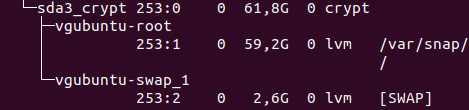
Ubuntu 22.04/24.04 single partitioned LUKS encrypted systems with TPM 2.0 chips can automate disk decryption.
Warning
Back up all crucial data before running the TPM script to avoid potential data loss.
You will be prompted for your existing passphrase during the setup.

Note: Please Login with your Visma / BU account to download the file.
download Download TPM Decryption Scripthelp Frequently Asked Questions
What do I get when onboarding?
You ensure your device meets Norvato's security standards. The system will automatically enable firewall, enforce OS updating policies, and deploy SentinelOne Endpoint protection agent to always ensure a secure connection to corporate resources..
How long does it take?
The entire process, including script execution and Intune registration, typically takes no longer than 20 minutes.
What if I'm not compliant?
Whatever
the reason your device is not, is something you can see by clicking on View
Issues.
Afterwards you can always remediate this scenario and re-run
another check.
What if my compliance reports as Not Evaluated?
If your
device reports as Not Compliant inside the App, and by clicking on View issues
you see some hints like: "We're still checking if you can access company
resources".
Dont worry, you are experiencing a timeout because of Microsoft's backend.
Please re-run check within an hour.